Free Online Drum Machine
Tap the pads, hit Play, make a beat — in your browser, nothing to install.
Loading Padwolf…
Why Padwolf
Sketch a beat in seconds
Drag a kit onto 16 pads, set BPM, tap steps, hit play. No signup, no install — just open the page and start making beats.
MPC workflow, in the browser
Step sequencer with A/B patterns, MPC-style swing on 1/16 and 1/8, per-pad pitch and volume, mute groups, MIDI controllers — the same muscle memory you'd use on hardware.
Export and ship
Bounce to WAV, FLAC, or OGG with pitch baked in. Drop the stems into FL Studio, Ableton, or Logic and finish the track in your DAW of choice.
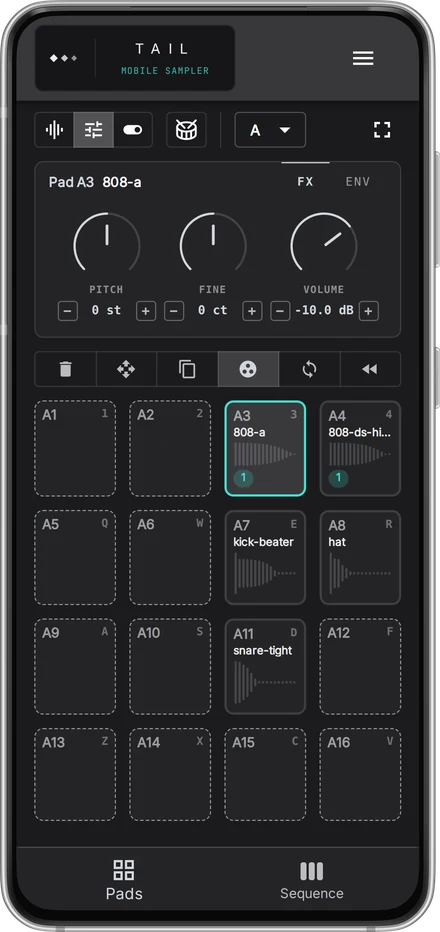
TAIL — Mobile Sampler
Want to make beats on your phone?
Sixteen pads and a step sequencer, sized for a phone.
Try it in the browserFrequently Asked Questions
Yes. Padwolf is a free online beat maker that runs entirely in your browser — every feature is available right now, with no signup, no paywall, and no upload of your samples to a server.
No. Padwolf runs in any modern browser — Chrome, Firefox, Safari, Edge — on Windows, macOS, Linux, and Chromebook. Open the URL and start making beats.
Padwolf lays out 16 pads in a classic 4×4 drum-machine grid, runs a 16-step sequencer with A/B patterns, and supports MPC-style swing on 1/16 and 1/8 — the same layout producers know from hardware drum machines like the MPC, SP-404, or Maschine.
Padwolf gives you the core MPC workflow — 16 pads, finger drumming, mute groups, per-pad pitch and volume, swing, and step sequencing — directly in the browser. It is not a 1:1 emulation of any specific Akai MPC model, but for sketching beats and pad performances it covers the same ground at zero cost.
Import covers MP3, WAV, FLAC, and OGG; export covers WAV, FLAC, and OGG. Sample rate and bit depth are handled automatically — drop a file and it works.
Yes — on iPhone (Safari) and Android (Chrome), including pad triggering by touch. For serious finger drumming, a USB MIDI controller plugged into a desktop browser is more comfortable.
Yes. Any MP3, WAV, FLAC or OGG (including your own recordings) drops onto a pad. There are no fixed kits and no genre presets — load whatever you want.
Koala costs money and only runs on iOS and Android. Padwolf is free and runs anywhere Chrome runs — Windows, macOS, Linux, Chromebook, Android — with the same MPC-style 16-pad workflow.
Yes. Plug in any class-compliant USB MIDI controller, click Connect MIDI, approve the browser permission, and play. Padwolf reads full velocity (1–127) and routes pad triggers in real time. Web MIDI works in Chrome, Edge, Opera, Brave and Firefox 108+; on Android it works in Chrome. Safari on macOS or iOS does not support Web MIDI — use Chrome on those platforms.
Yes — visit padwolf.app/midi-tester. It's a free diagnostic page that shows note names, velocity bars and channels live as you hit pads or keys. Useful when a controller isn't behaving and you need to know whether the issue is the device, the OS or the browser.